
Manage who can access your newsrooms in Mynewsdesk. User Management gives you an overview of the people in your account and the newsrooms they can use. Invite colleagues to the newsrooms they need, and see which account role each person has.
Where to find your users
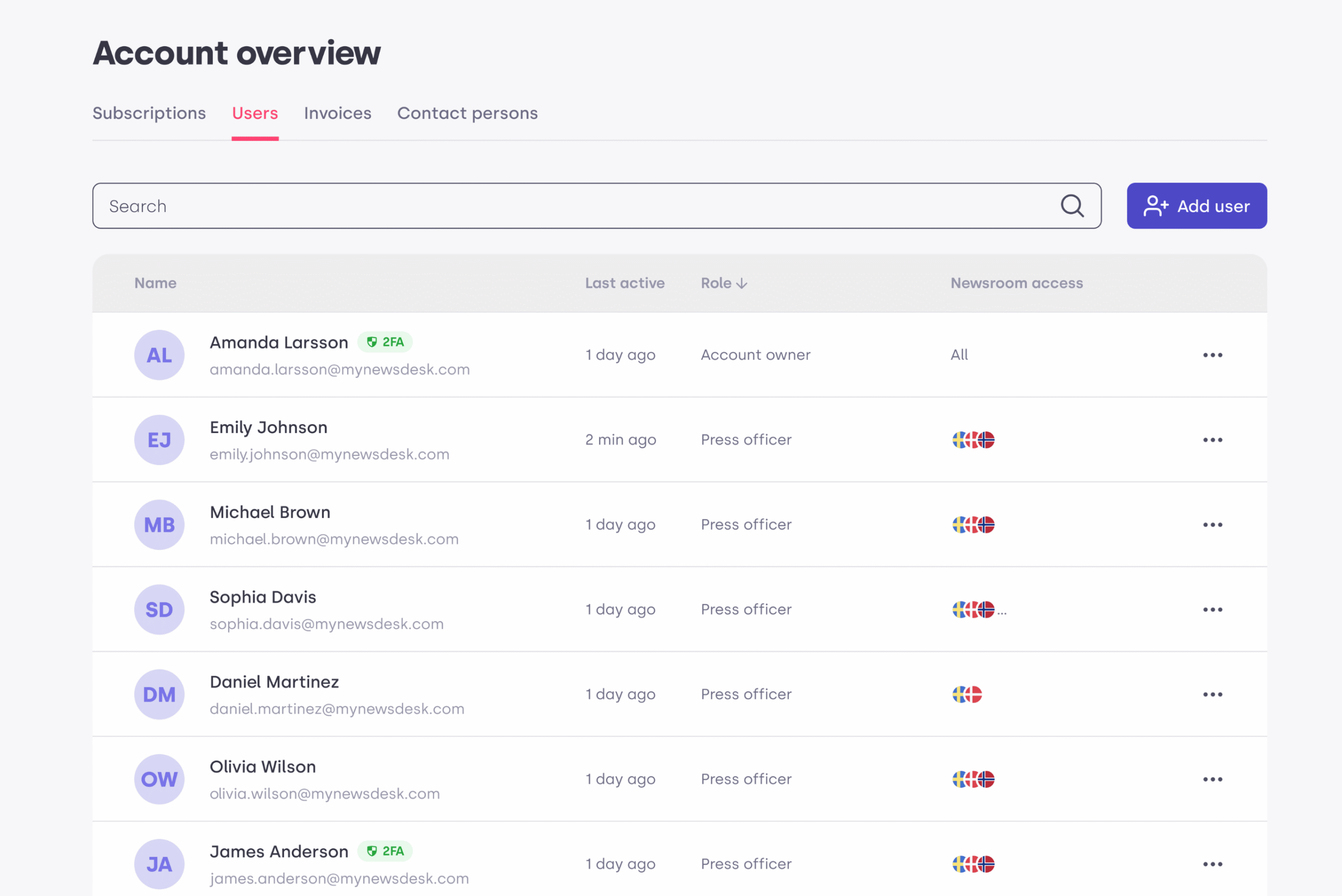
Click the cogwheel, then open Account Overview > Users. Here you can see the users and their access.
Name – The user’s name and email address, with badges showing eg. security.
Last active – The date the user was last logged in.
Role – The user’s role in the account: Account Owner or Press Officer.
Newsroom access – The newsrooms the user can access.
Account roles
There are two roles in your Mynewsdesk account. Your role determines which users and newsrooms you can manage.
Account Owner – Has automatic access to all newsrooms in the account and can invite users to all or selected newsrooms. The Account Owner can also require two-factor authentication (2FA) for everyone, remove users from the account and transfer account ownership to another Press Officer in the account.
Press Officer – Can access only the newsrooms they have been invited to. A Press Officer can invite and remove other Press Officers within the newsrooms they can access.
Newsroom access
Choose which newsrooms each person can use when you invite them. You can grant access to all newsrooms or select specific newsrooms, depending on your own access rights.
For example, if you are a Press Officer with access to two of the account’s three newsrooms, you can invite a colleague to either or both of those two newsrooms.
Note – Only the Account Owner has automatic access to every newsroom. Access for Press Officers is assigned individually.
Inviting users
To invite a colleague, open Account Overview > Users and select Add User. Choose the newsroom access you want to give them, within the limits of your own access rights.
One newsroom – The invitation email uses the language of that newsroom.
Several newsrooms – The user receives one invitation email in English.
Account security and user removal
The Account Owner can require two-factor authentication (2FA) for all users in the account and remove users from the account. Press Officers can remove other Press Officers within the newsrooms they can access.
